Here’s the picture for my website:
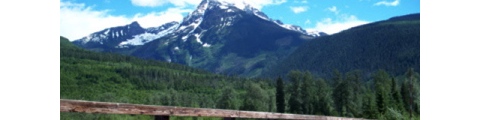

Here’s the picture for my website:
I have been reading through English, Welsh, and Irish history over the break. The last one was Tipperary by Frank Delaney. I did not like it at first; the way it switched between voices seemed choppy and made it tough for me to pick up the story of Charles O’Brien. As the sections got longer and then the narrator was revealed, I found myself drawn into the story. It’s funny…it has the same theme as Stonehenge (Bernard Cornwell) did in terms of people dedicating their lives to creating a monument.
So, at least I could say I was learning about history. Then, I opened iTunes, and there was the Showtime series, The Tudors. I bought the first episode and was absolutely hooked. I was warned about the sex, and it got sexier throughout the season. But, don’t skip to the last episode because it is improved by following it as it builds to the climax both literally and figuratively (sorry for that) throughout the other episodes. We’re lured in along with Henry. Love the costumes and the intrigue.
And, I also read that the series played pretty fast and loose with history. So, I used the Web to do some fact checking. I figured out that the character of Margaret was a combination of Henry’s two sisters: Mary and Margaret. The King of Portugal was a complete fabrication. In poking around the discussion forums sponsored by Showtime, I found a table listing historical inaccuracies. So, at least they know they rewrote history. And, does it matter? Not to me. I was entertained. So, now I wait for the second season to go on sale. Maybe they will stream it on the web.
Welcome to WordPress. This is your first post. Edit or delete it, then start blogging!
Well, I’ve solved the biggest problem I thought I had: the need for a None selection in the editbook pull-down menus. I added an echo statement that echoed “None Selected” when the periodical_id was 0. I had to put this before the while statement that created the pull-down menu or I got “None Selected before each periodical title.
I’ll admit to being pretty pleased with myself…it wasn’t as hard as I thought.
I’ve been actively using the database for a paper I have to write as well as just general data entry for resources I’ve had marked for ages just waiting for the creation of this database. It seems the best way to troubleshoot and think about what else I would like it to be able to do. Here’s a brief list:
There’s plenty more but that’s a good start…I’m going to watch Part II of The Fellowship of the Ring tonight and do some coding and then data entry.
Things I’ve Learned:
Choosing the right data storage type is important. I choose smallint for my quotespage field only to discover that it goes to 127. So, when I started entering page numbers that were larger than that, they defaulted to 127.
There are lots of other formatting issues.
As much as I like to be a citizen of the world, I’m pretty sure someone deleted stuff from my database. So, I found an easy script on the web to require a login and password. I think I still need to do some encryption but for now hopefully this will stall any would-be hackers. I want to start using the database for a lit review I’m writing.
Battled a headache all day so did relatively mindless programming: added data entry fields to the new book entry page. For now, it’s got all the fields from the resource table so it can be a generic data entry page.
I am teaching a Dreamweaver workshop this evening so I have to head out soon but wanted to post links to two more database queries that I’ve developed.
Author/Resource: Lists the authors and resources
Resource/Author: Lists the resources and authors
I struggled with the author query (even though I had already successfully created the resource query) because I was matching the ids of the author and resource so I wasn’t getting the right author/resource combination.
I’m also doing some behind-the-scenes troubleshooting to make sure that edits and deletes are not just being made in the main tables but also in the lookup tables. Last night, I discovered that, while the keyword edit/delete was working, the author was not so the links were still in the lookup table. I believe everything is working now but it’s just a reminder that even though things appear to working on the surface, the integrity of the database has to be maintained.
I am coding every chance I get and moving right along on the project (but oh is there PLENTY of work still to do). The basic data entry pages are done. I am going to just create a generic resource entry page that includes all the fields in the resource table. Later I can make specific pages for each type of resource.
Right now I am working on nested queries and starting to try to add in formatting. Here are a few queries of the database:
Quote/Resource Query: This query shows the quotes first and then the resources. It passes the quote id so you can use the options to edit or delete quotes as well as add notes related to quotes (rather than resources).
Resource/Quote Query: This query shows the resource first and then the quotes. It passes the resource id so you can use the options to edit or delete the Resource as well as add quotes or notes related to the resource (rather than the individual quote).
Show All Notes: You can use this search interface to see notes related to specific resources or keywords. OR if you don’t choose anything, you can see all the notes in the database including those related to resources AND to quotes. You can also edit or delete notes from this screen.
I am currently working on the queries to show all the notes related to a specific quote. It is a two-step process. You start by searching for quotes related to resources and then click the View Notes button. I still need to add the options for editing notes to this page.
And…someone added a resource to my database! I guess I better start thinking about a password protected version to use for myself. Actually, with the Apache server on my laptop, I could use run MY version locally.
The URl for Noter has changed slightly to http://www.simplykaren.org/noter/noter.php
